
About the Content
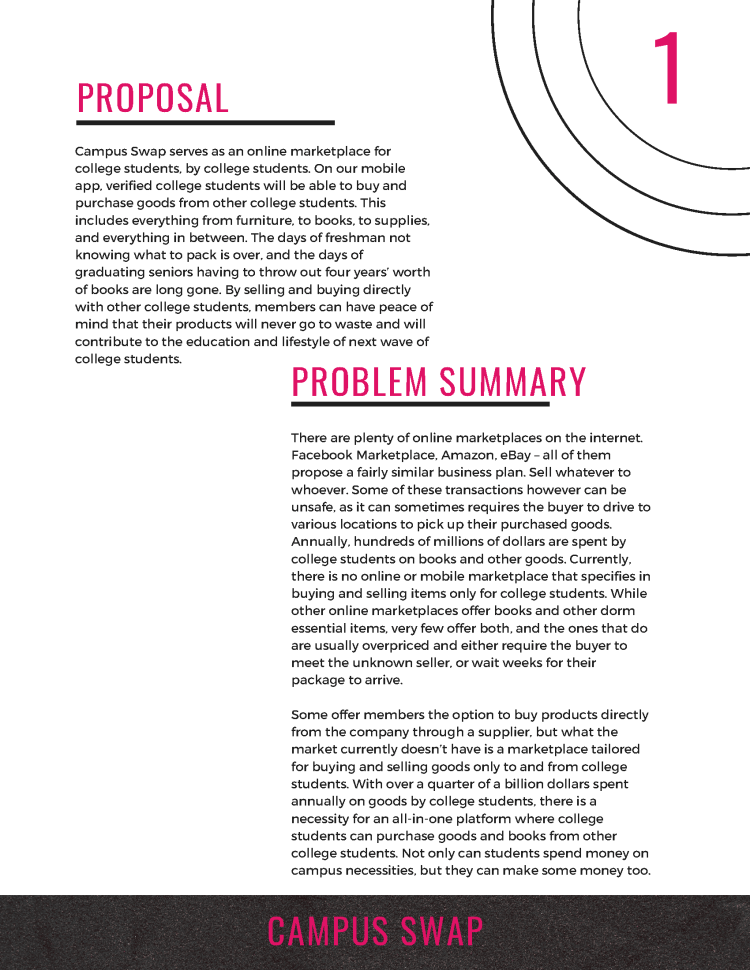
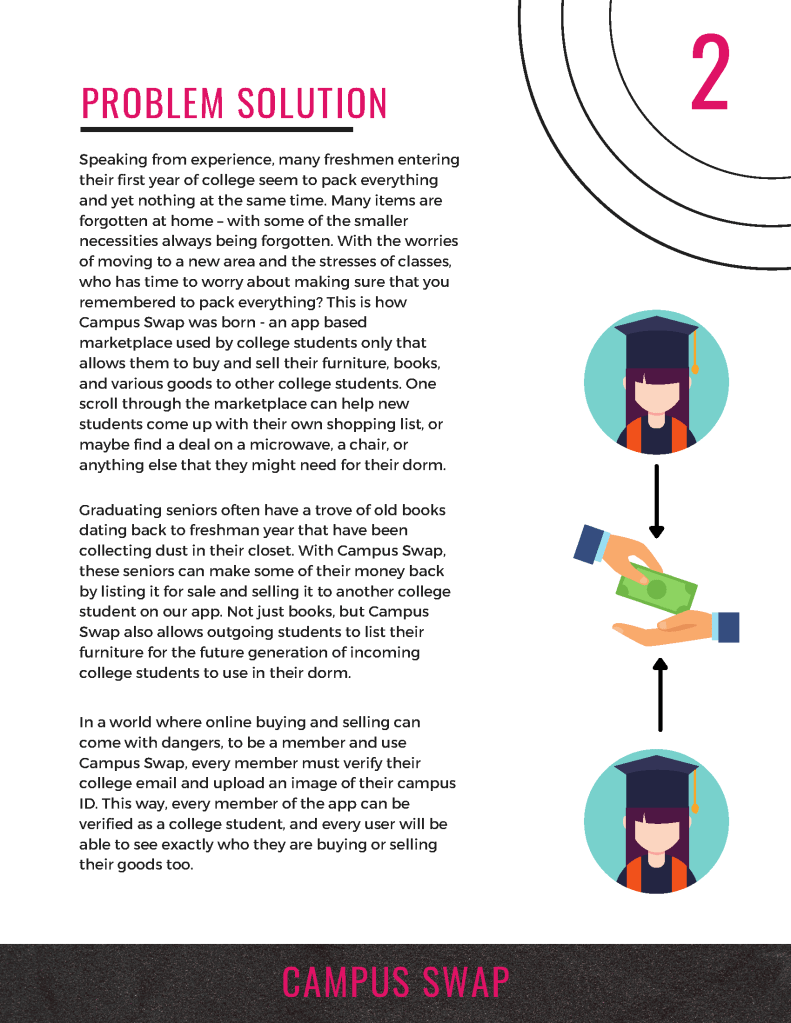
What if there was an ecommerce platform that was created for college students to buy and sell their unused or unwanted goods? I proposed Campus Swap to aid students in finding cheap quality products to outfit their dorm or apartment, as well as to answer the need for a platform to sell used and new textbooks and supplies at a reduced price. The Campus Swap appeal is that all of its members are college students, ensuring that each member gets the lowest possible price for the item that their buying; all while giving students with an excess in products and textbooks a place to sell their unused items to other students in need. Campus Swap allows students to make some money and save some money, all while helping other college students in need.
The Proposal
Originally, I wanted to make an online web based marketplace for college students only. Each member would have to verify their college email and upload their college ID before being allowed to use the Campus Swap platform. All transactions would be peer-to-peer, and give graduating seniors a chance to sell their old textbooks, furniture, and goods to an incoming freshman. Not only would this be easier on the buyers pockets; purchasing used goods at a discounted price – but the seller would also be able to make some money back on the items that they likely would have thrown out anyways. There are currently no competitors that have the same approach as Campus Swap, who are focused solely on the immense market and buying power of strictly college students.
User Research & Competitive Analysis
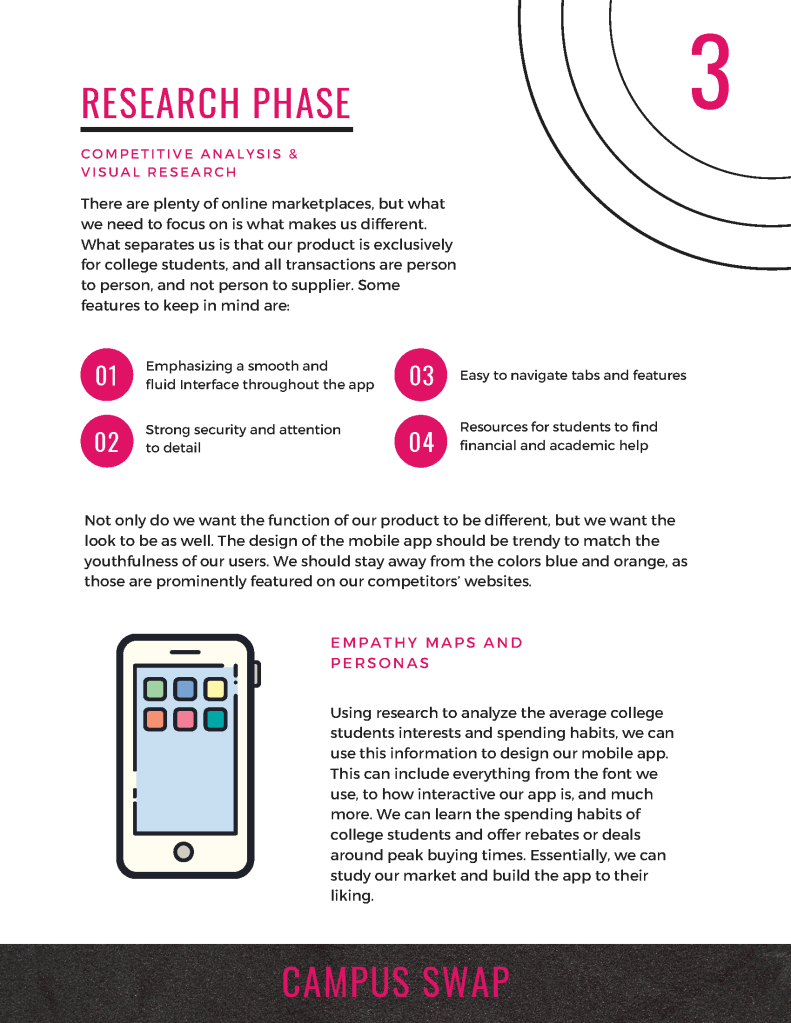
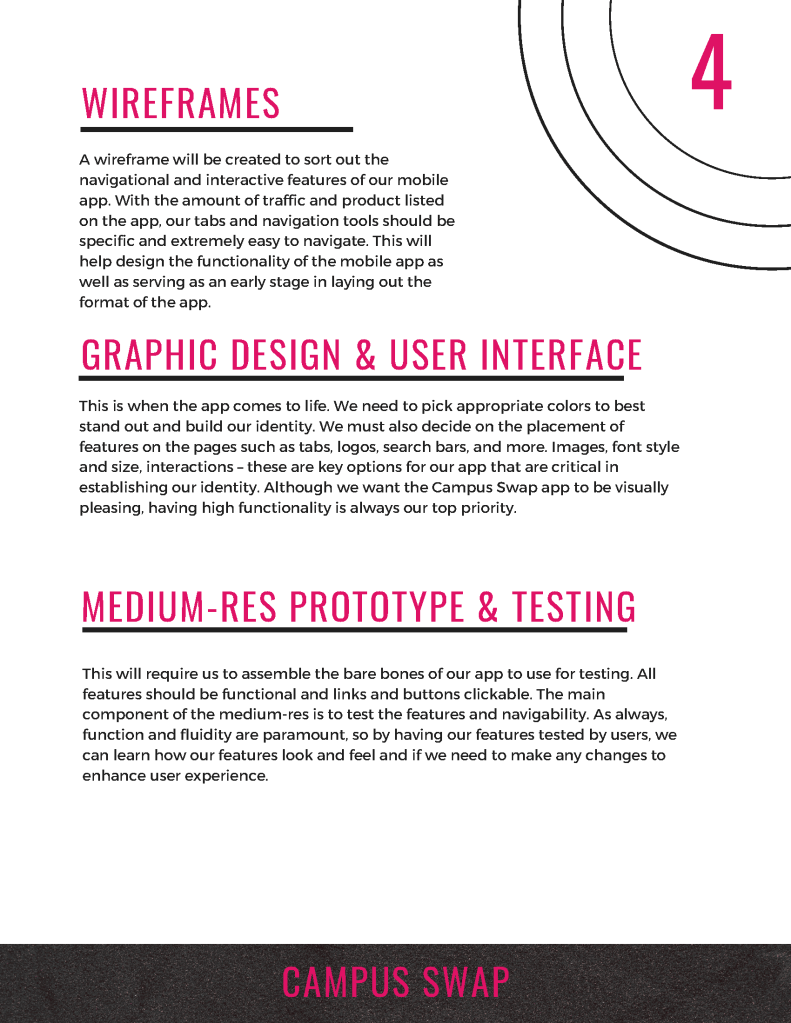
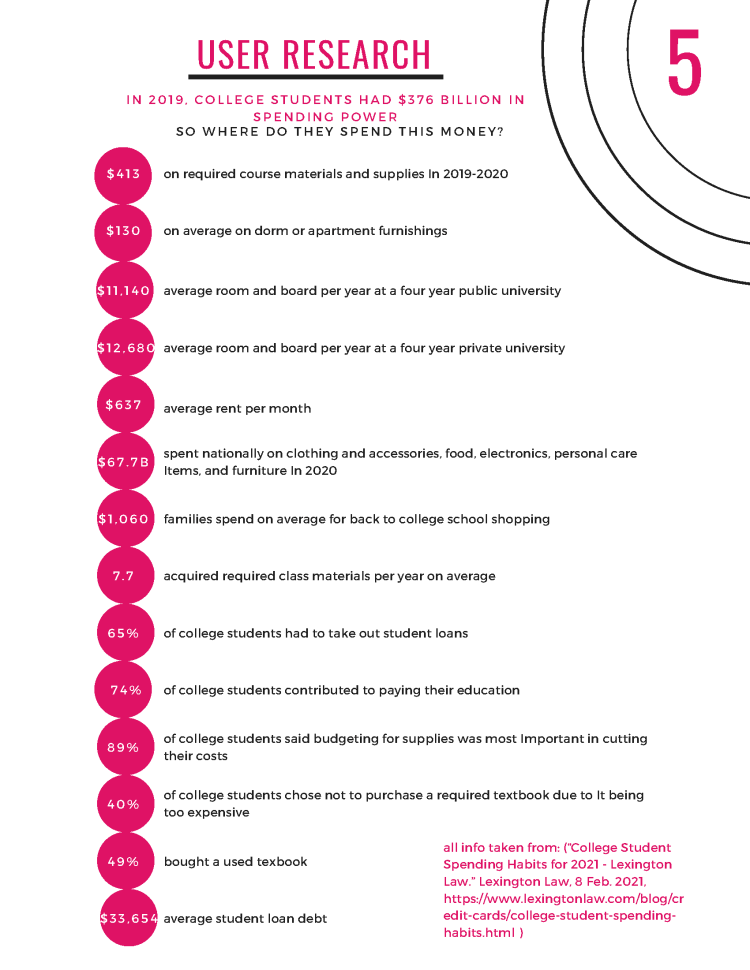
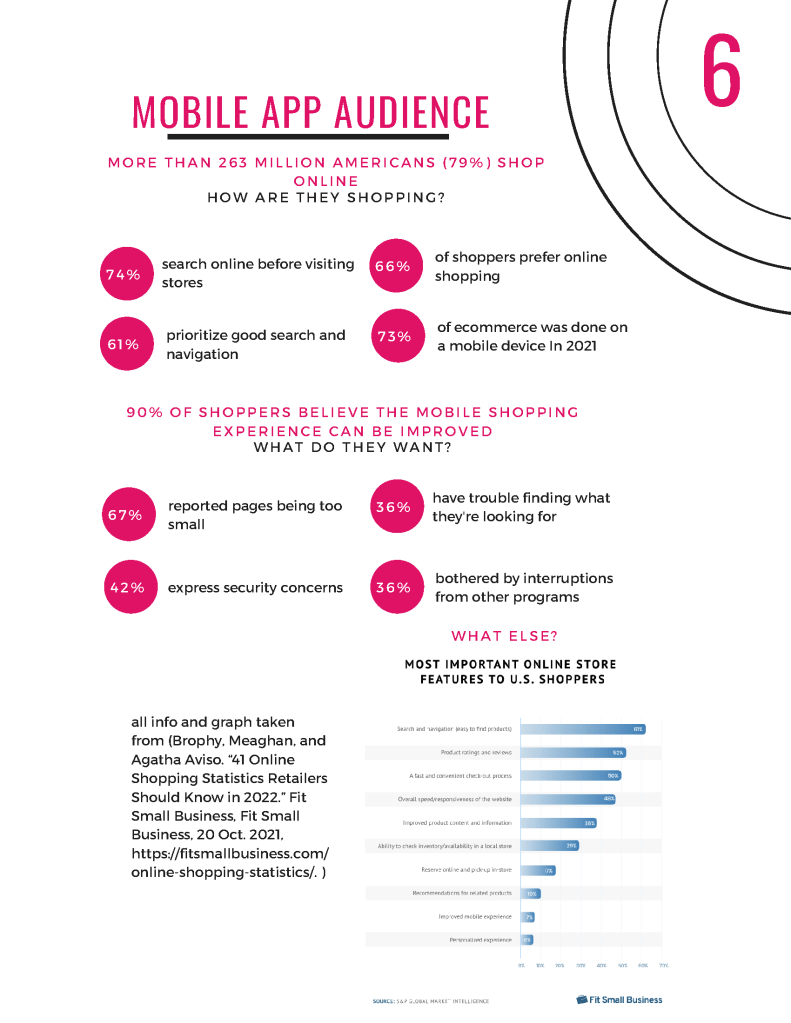
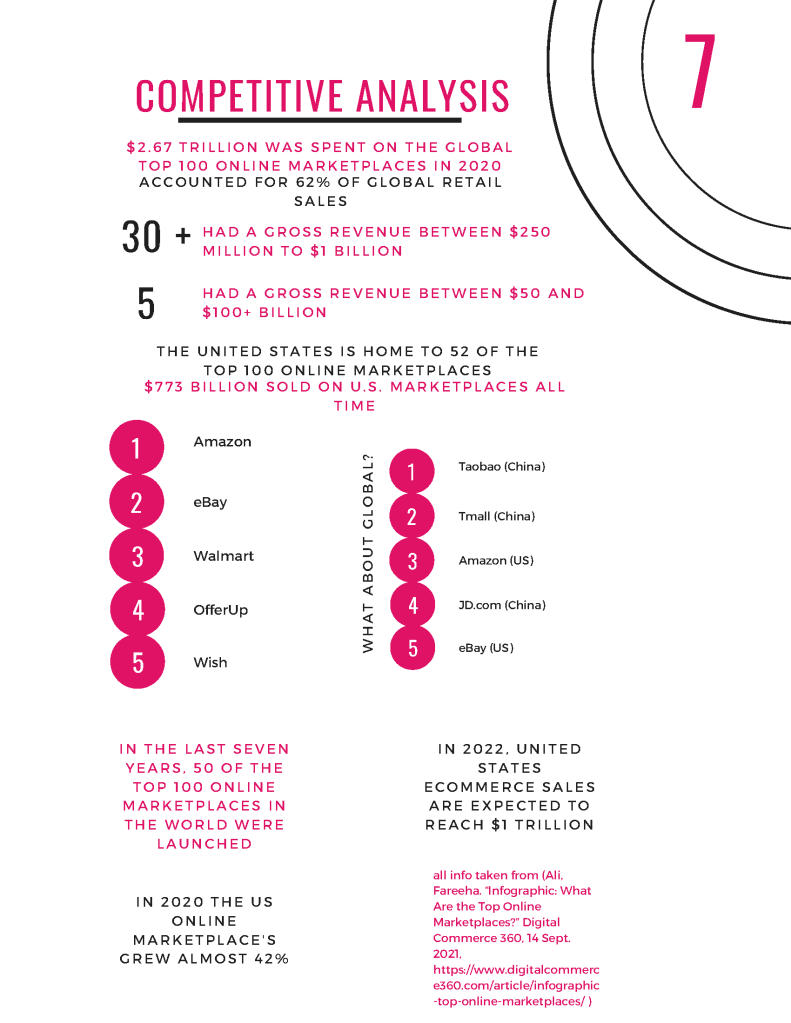
Campus Swap is made exclusively for college students, meaning that every element of the app is tailored to their specific needs and interests. In order to create a platform with them in mind, I did endless research on college students spending habits as well as mobile app audiences as a whole. There are also loads of competitors, and although not all of them appeal directly to one audience like Campus Swap, it is still important to gather research on them as well. In doing so I created a competitive analysis which helped to visually show the role that Campus Swap will have in the market. I also talked with a few college students to find out more about their college experience and spending habits, and their responses were used to create an empathy map.
Prototype
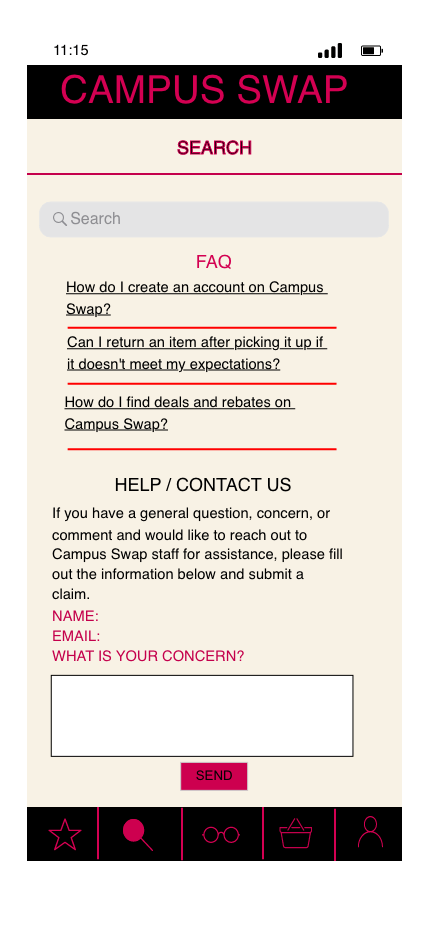
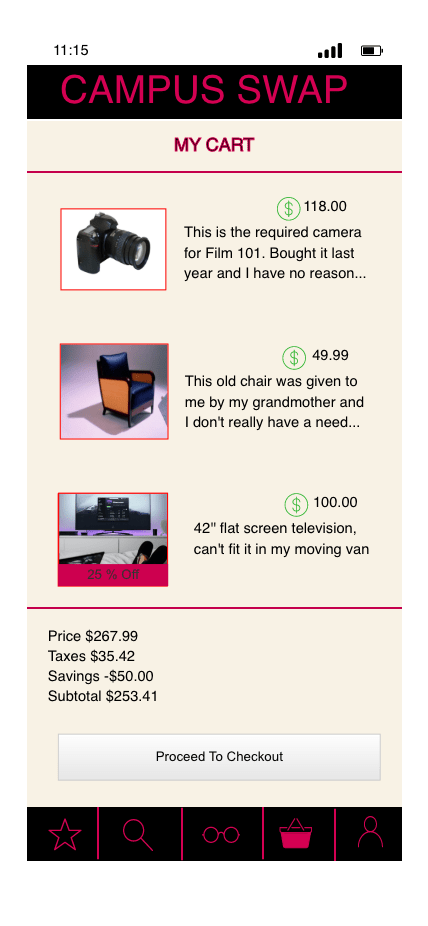
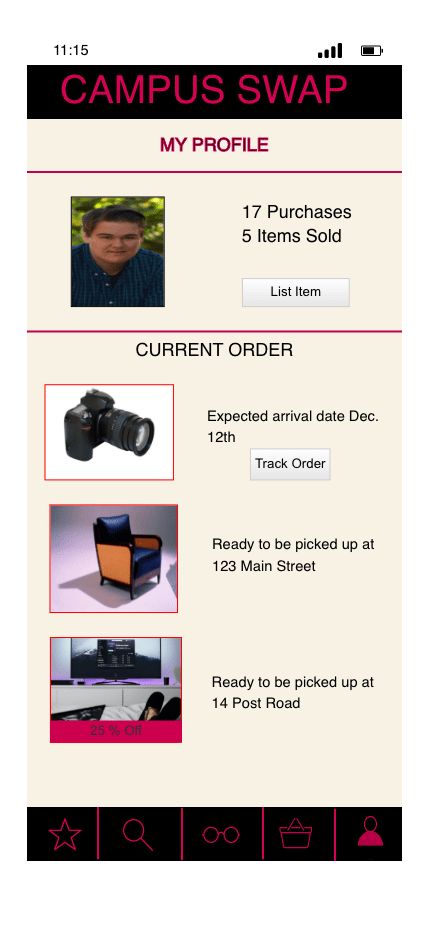
I took the colors and design elements from my first mockup and implemented it to all of the remaining pages using Justinmind. I added images and selected more logos. I added transition elements with the page buttons to indicate what page the user is currently on. I created every page that will be depicted in the final prototype, including the List Item page and a page for each item that is for sale on the Featured Page, as well as a television that can be found for sale on the Resources Page.
I sent images of each page to selected users to get their feedback on the design of the mobile app. Their responses were used to learn about what worked as well as what didn’t. I used this information to make improvements for the final prototype of the Campus Swap mobile app.


Final Animated Prototype & Proposal
The best way to get the full feel of how a mobile app will operate is to create a functioning prototype. I created the prototype using Adobe XD and included multiple pages, clickable buttons, and much more. To experience the animated prototype, click on the Campus Swap logo below. To download the entire Camus Swap Mobile App proposal, click on the button below the logo titled “Full Campus Swap Proposal”.
 nickmelansonportfolio.com